





Pro Contractor Studio Knowledge Base
Browse PCS commands and open any topic for details.
Aligned Dimension
← Back to All TopicsAligned Dimension
Menu: |
Draw
|
Toolbar Icon: |
|
 Aligned Dimension
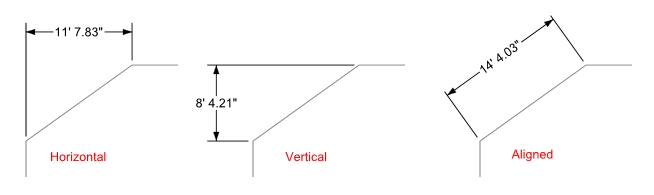
The Aligned Dimension command will allow you to draw a dimension that is parallel to a line on the drawing. The line may be either real or imaginary.
To draw an aligned dimension:
Select the Aligned Dimension command from the Draw menu or click on the toolbar icon.
Click a point for the start of the distance to be measured.
Click a second point for the end of the distance to be measured.
- Drag the mouse to
the desired location for the dimension text and click a third point
to complete the command.
Notes:
You can set values for all dimension parts and the color assignments in the Options command on the Dimensions tab.
Select the Display Format and Precision in the Options command on the General tab.